
Deposit
Fund Deposit – Ghost
How to deposit

In this guide, we will help you navigate sending tokens to an exchange. These steps also can be modeled for when you want to send tokens to any other wallet address as well.
Get the exchange deposit address:
Step 1: Login to your exchange account and navigate to the exchange’s ‘deposits’ section.
Step 2: Select the token and the network you want to deposit into (it is important to get this selection right as many problems occur when sending tokens from one network to a different network address.)
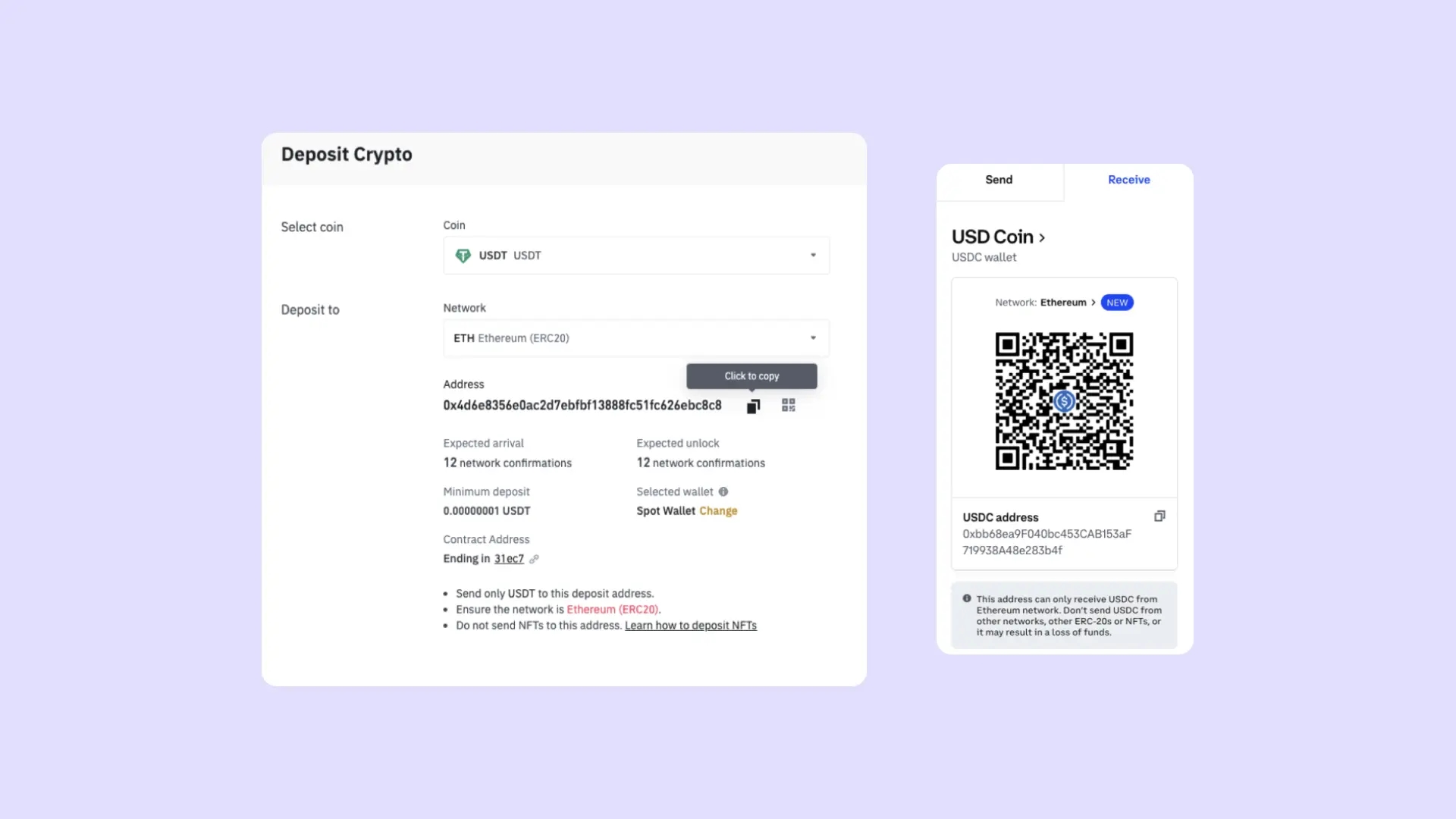
Step 3: Copy the address from the deposits section and again, make sure you have selected the right token in the right network.
Sending the token:
Step 1: Open your Phantom wallet and click on "Send"
Step 2: Search for the token you would like to send making sure that you, once again, select the right network/chain.
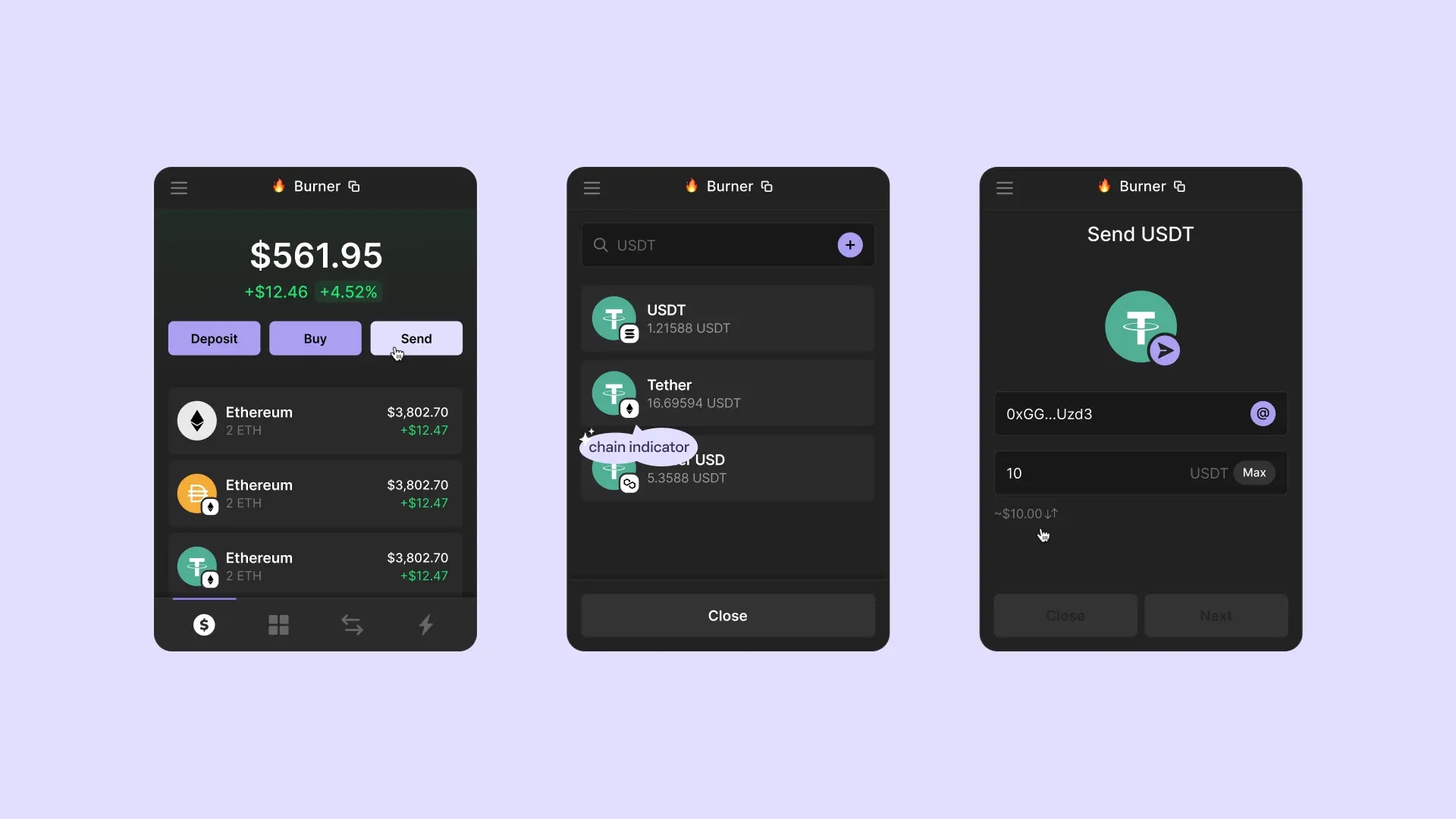
Step 3: Paste the address copied from the exchange deposit section, enter the amount of the token you wish to transfer and click on "Next."
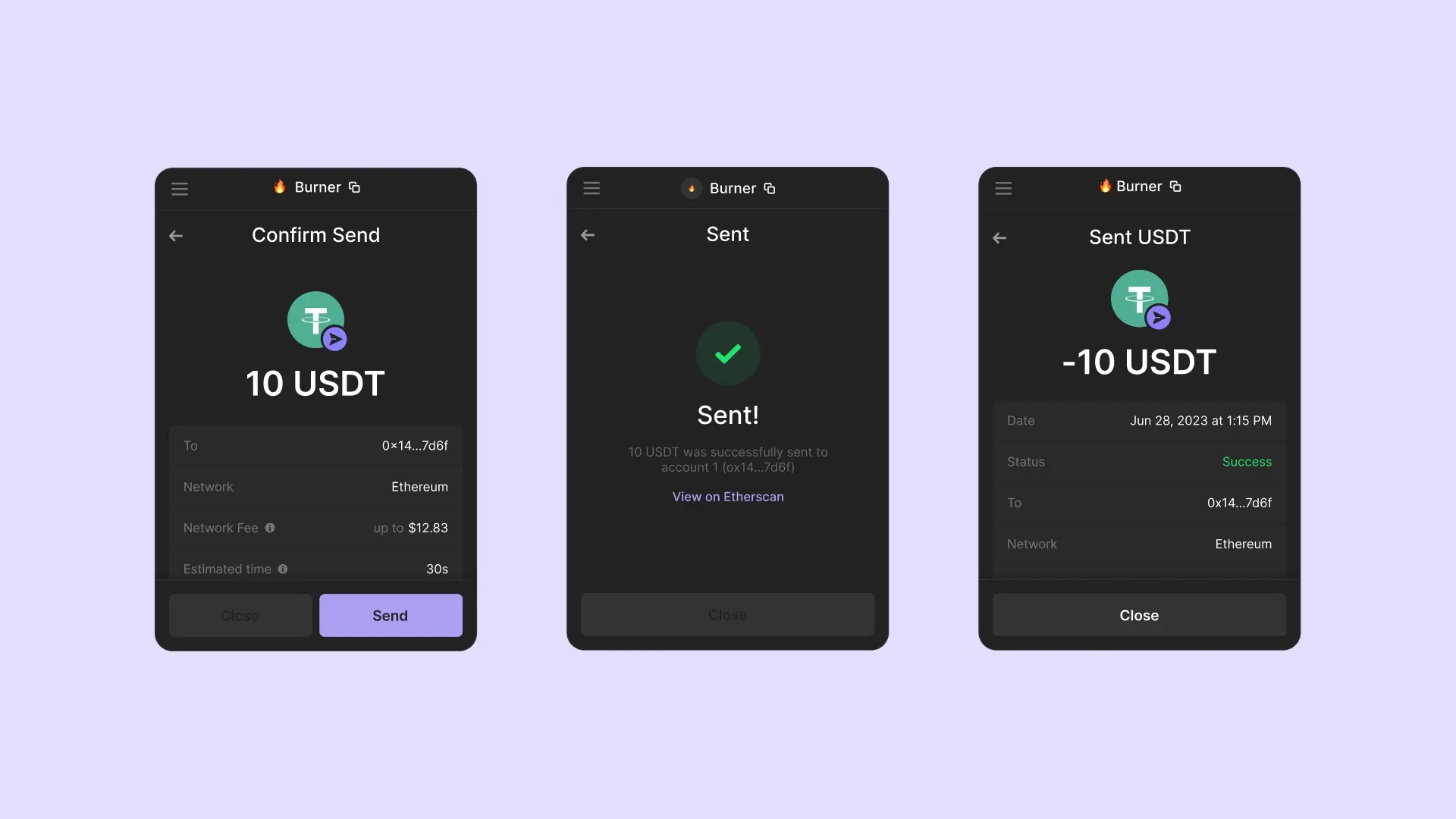
Step 4: Verify the token amount and double check the network and then click on "Send" to initiate the transaction.
📥 Steps to Deposit USDT (BEP20)
📥 Steps to Deposit SOL

Last updated